
Every job scheduled in ServiceTitan or HouseCall Pro automatically gets its own chat channel in CxC. You don't create it — it opens the moment a job is booked and closes when the job is done. Everything that happens on that job lives in one place, tied to the customer record permanently.
What's inside a job channel:
The channel name includes the customer name and job ID — for example, "John Smith — Job #45288" — so you always know which job you're looking at.
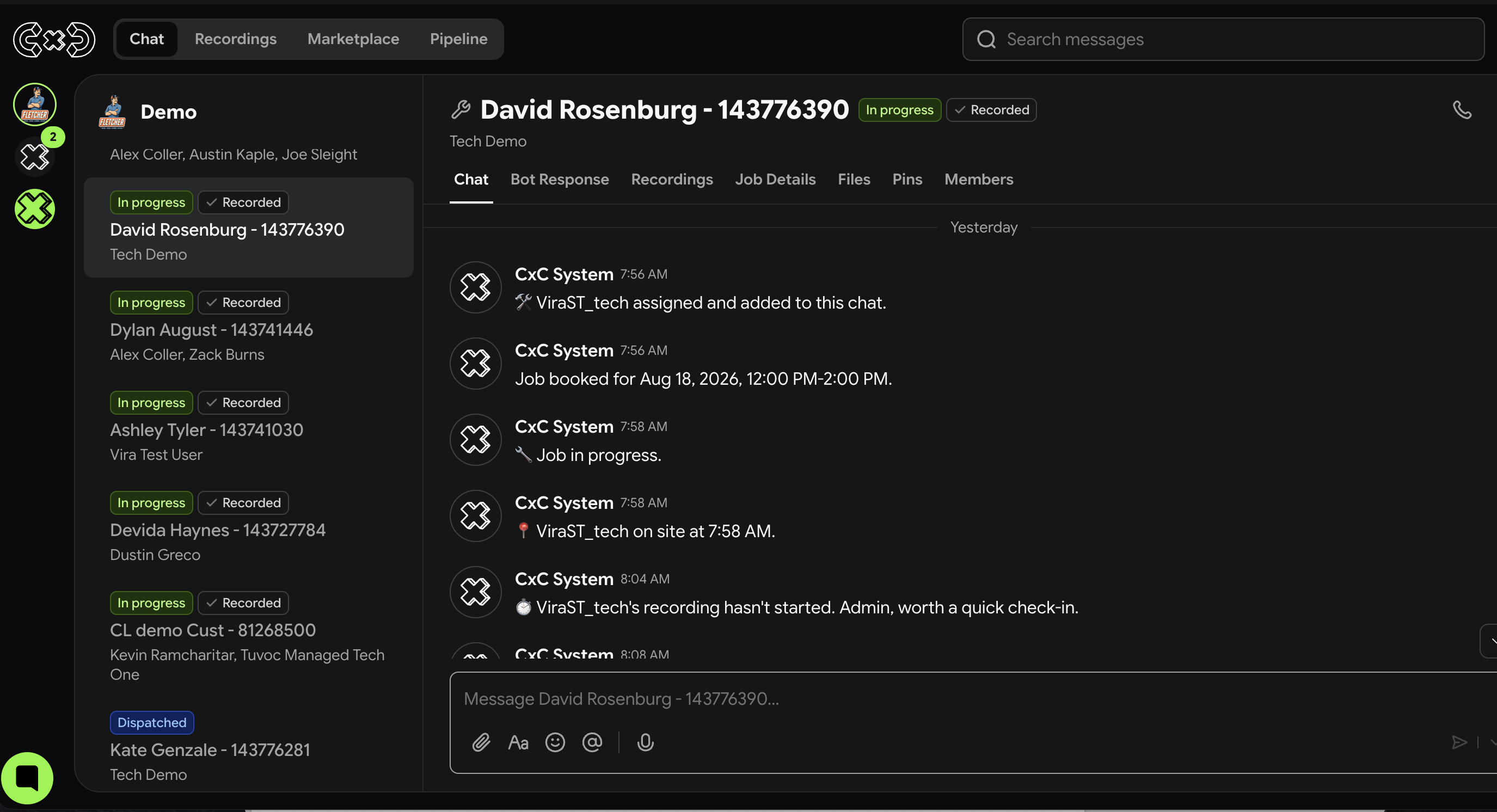
Inside the channel you'll find:
A Pre-Job Summary posted automatically with job type, customer address, and notes from ServiceTitan
System messages tracking every stage of the job — dispatch, arrival, completion
Messages from the technician, manager, and team
Recordings and AI summaries posted automatically after the visit
Photos and files sent from the field, synced to the customer record
Customer history — every previous job, note, and outcome from past visits
Internal CxC calls made during the job, with recordings and transcripts if available
Bot responses — summaries, intent signals, objection flags, and coaching insights posted automatically after each recording
How it connects to your CRM:
Everything flows from CRM automatically. Job details, status changes, technician assignments, and customer data all sync in real time. Nothing needs to be entered twice.